
TPR Research in ChatGPT
Pāḷi Tipiṭaka research tools for your AI app
- Open chatgpt.com in your browser and sign in.
- Open Settings › Plugins (or go straight to chatgpt.com/plugins), then Browse directory.
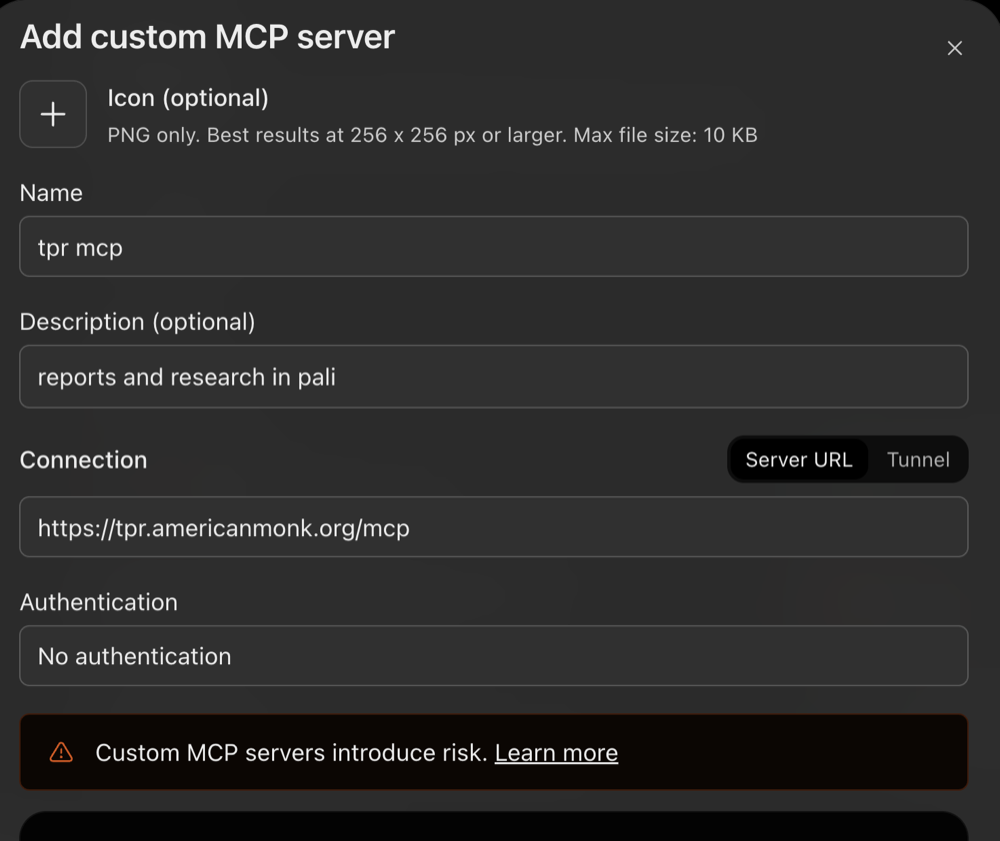
- Click Add (top right), then Custom MCP server.
- Name: TPR Research. Description (optional): Pāḷi research and papers.
- Connection: Server URL, and paste this address:
https://tpr1.americanmonk.org/mcp - Authentication: No authentication.
- Click I understand and want to continue, then add it.
- Start a new chat, choose TPR Research from the + menu, and ask, for example: Using TPR, does loving-kindness affect others, or only oneself? Make a paper.
- If ChatGPT cannot save the paper, ask it to give the paper in the chat instead.